
Microsoft is pleased to announce that they’ve enabled users the ability to be able to view meetings and calls in separate windows along with the other recently announced features.
This message is associated with Microsoft 365 Roadmap ID 57294
When did this happen?
Microsoft rolled it out in June 2020.
How this will affect your organization?
Users are now able to view meetings and calls in separate windows from the main Microsoft Teams client. Additionally, meeting and call controls such as mute, video, chat, leave and others will now be located at the top of the meeting window so that they are always available and never block the underlying content. This new experience will also include recently announced features such as 3×3 video, raise hands, and custom backgrounds.
This will roll-out OFF by default and users will have the ability to turn on the new experience via the user setting: General > Turn on new meetings and calling experiences.
Note: In the future Microsoft will enable this functionality by default, but Microsoft want to provide users extra time to become familiar with having meetings open in their own separate window. As Microsoft moves forward they will provide more details via Message center.
New meeting experience: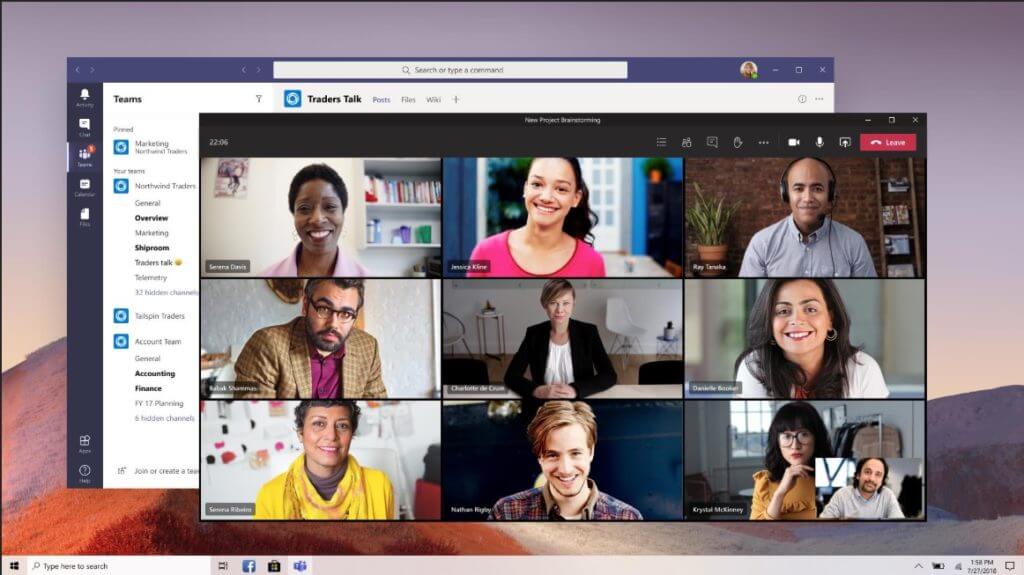
New meeting/calls control location:
Steps for Users to turn on the new experience:
Step 1: Click on Avatar on top right of Teams and click Settings.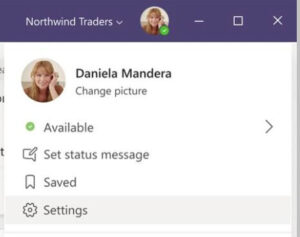
Step 2: Check the Turn on new calling an meetings experiences check box and then restart the Teams client.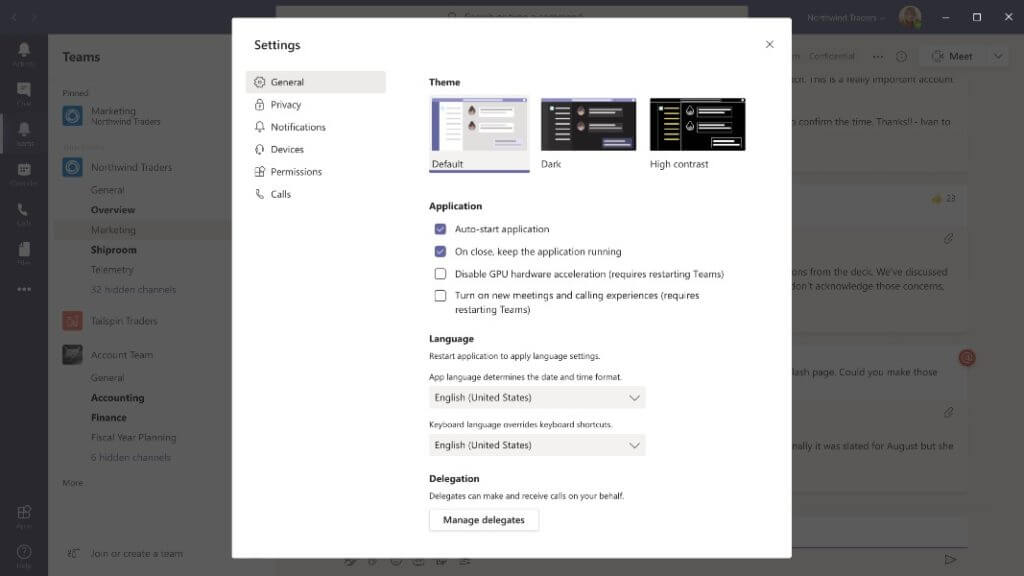
Note: To provide additional transparency we expect the new experiences to be enabled with the following timeline. This is subject to change and we will provide appropriate notice for each phase through Message Center as we approach July and August.
- June – New experiences are available and users can enable through settings.
- July – Experiences are enabled by default and users can disable through settings.
- August – Experiences are enabled by default and user controls are no longer available.
Know limitations:
- Meeting notes will launch to the main Teams client
- Support for full screen content viewing will be coming in the future
- Support for Invision Freehand Whiteboard will be coming in the future
To find out more about this great new future or to get started, please contact one of our engineers at help@myryc.com or call us at 305-310-2444.
Need help improving your cybersecurity before the holiday rush?
We can help you protect your data with smarter, easy-to-use security solutions. Stay safe, stay secure, and shop online with confidence this season.
Contact Us Today